Win-Back Email Examples + Campaign Ideas
See win-back email examples and campaign ideas that re-engage inactive customers before they churn for good.
A customer who stops using your product may still have work to finish. A win-back email gives them a reason to return, whether that’s a saved project, a useful product change or help with a problem.
What is a win-back campaign
A win-back campaign, also called a customer reactivation campaign, is a short email sequence for customers who have stopped using or buying your product. Its goal is to bring them back to a useful product action or purchase.
A 2014 MarTech article on Return Path research found that 45% of recipients of a win-back campaign read a subsequent message. The sample was 33 large retailers, and the article says it cannot tell whether the win-back email caused those later reads.
When should I send a win-back campaign
For a SaaS product, define inactivity around an action such as publishing a project or completing a report. A login alone may not mean the customer has returned to useful work.
Choose the inactivity threshold from how often customers normally use your product. Missing several weekly sessions may matter for a weekly-use product, while the same gap could be normal for a monthly-use product. Handle trial expiry in a separate sequence with its own deadline.
Compare customers with similar use cases and account stages. Record the product action and period of inactivity that qualify someone for the sequence.
Keep users who never activated in an onboarding journey. Previously active customers need a reason to return to work they already understand.
Your application should calculate eligibility from product activity and send the current state to Loops as contact properties or a qualifying event. Loops does not infer dormancy from an event-history segment.
Exclude people who have unsubscribed or are suppressed. Have your application apply billing and support exclusions too, so a payment problem or an unresolved support issue does not trigger an unrelated win-back offer.
For a paying customer who has stopped using the product, start with help or a useful task. A discount may not address the reason they stopped.
A three-email reactivation sequence for dormant SaaS users
This example is for a fictional project tool used weekly. Send the first email when a customer reaches your inactivity threshold, then wait seven days between attempts. Adjust the timing to actual usage and skip any message that has no useful reason to send.
Email 1: return to a saved task
Send when a previously active, eligible user crosses the dormancy threshold. Link directly to their saved work only if it is still available and they can access it.
Subject: Pick up your saved project
Your project is still in your workspace. Open it to review your last draft and choose the next task. If something got in the way, reply and tell us what you need.
CTA: Open your project
Email 2: offer a relevant improvement
Seven days later, send only if the user is still eligible and you have a real improvement relevant to their work. This example assumes saved project templates are now available. If that is not true for your product, offer specific help or skip the message.
Subject: Reuse your project setup
You can now save a project as a template and reuse its tasks. If setting up each project slowed you down, open your last project and save the setup for next time.
CTA: Open your last project
Email 3: close this sequence
Seven days later, make this the last attempt in the sequence if the user is still eligible. Offer a real preference control and keep the normal unsubscribe link in every message.
Subject: Choose which updates you receive
This is the last reminder in this series. You can choose which product updates you receive from your email preferences.
CTA: Manage email preferences
Before each remaining email, check the current audience state. A return to the qualifying product action, an unsubscribe, a suppression or a new exclusion should prevent further win-back messages. The stop rules below explain when Loops checks updated contact properties.
For triggers, contact properties and workflow exit rules, see the lifecycle email guide.
What to include in a win-back email
Personalize your emails: Refer to work the customer started or a feature they used. If you don’t know why they stopped, ask.
Offer incentives: A discount or extended free trial may help if price or trial length was the obstacle. Choose an offer that addresses the reason they stopped.
Highlight new products or services: Explain a product change that would help with the customer’s previous work. Link to where they can try it.
Use real deadlines: State when an offer expires, if it has a deadline. Avoid inventing urgency for a customer whose account is simply inactive.
Test different subject lines and send times: Use A/B testing to compare results, then check whether customers returned to the product.
Keep it simple: Give the customer one clear next step. Remove details they don’t need to take it.
Segment your audience: Use current activity and account state to choose the message. Customers inactive for three weeks may need a different email from those inactive for three months.
Win-back campaign subject lines
Make the reason to open clear. Name the saved work, product change or offer, and make sure the email delivers what the subject promises.
[Name], your saved work is here
[Incentive] ends soon: [Action]
A [Discount] if you’d like to return, [Name]
What would help you get back to [Product/Service]?
[Name], here’s what changed
[Discount] toward your next project
Measuring win-back campaign results
Before enrollment, choose the product action that counts as a return and the time allowed to complete it. For example, count a previously active user who publishes a project within 21 days of entering the sequence.
Reactivation rate = unique eligible users enrolled in the sequence who complete that action within the fixed window ÷ all eligible users enrolled in that cohort. Count each user once and wait for the full window before comparing cohorts.
Choose a return action aligned with your product goals, and measure it in your product data. An email click by itself does not prove the action happened.
Track whether returning users complete the action again during the following month. Report unsubscribes and complaints alongside returns.
These are observed returns. To estimate how many returns the emails caused, compare with a randomized holdout of otherwise eligible users over the same period.
Win-back campaign examples
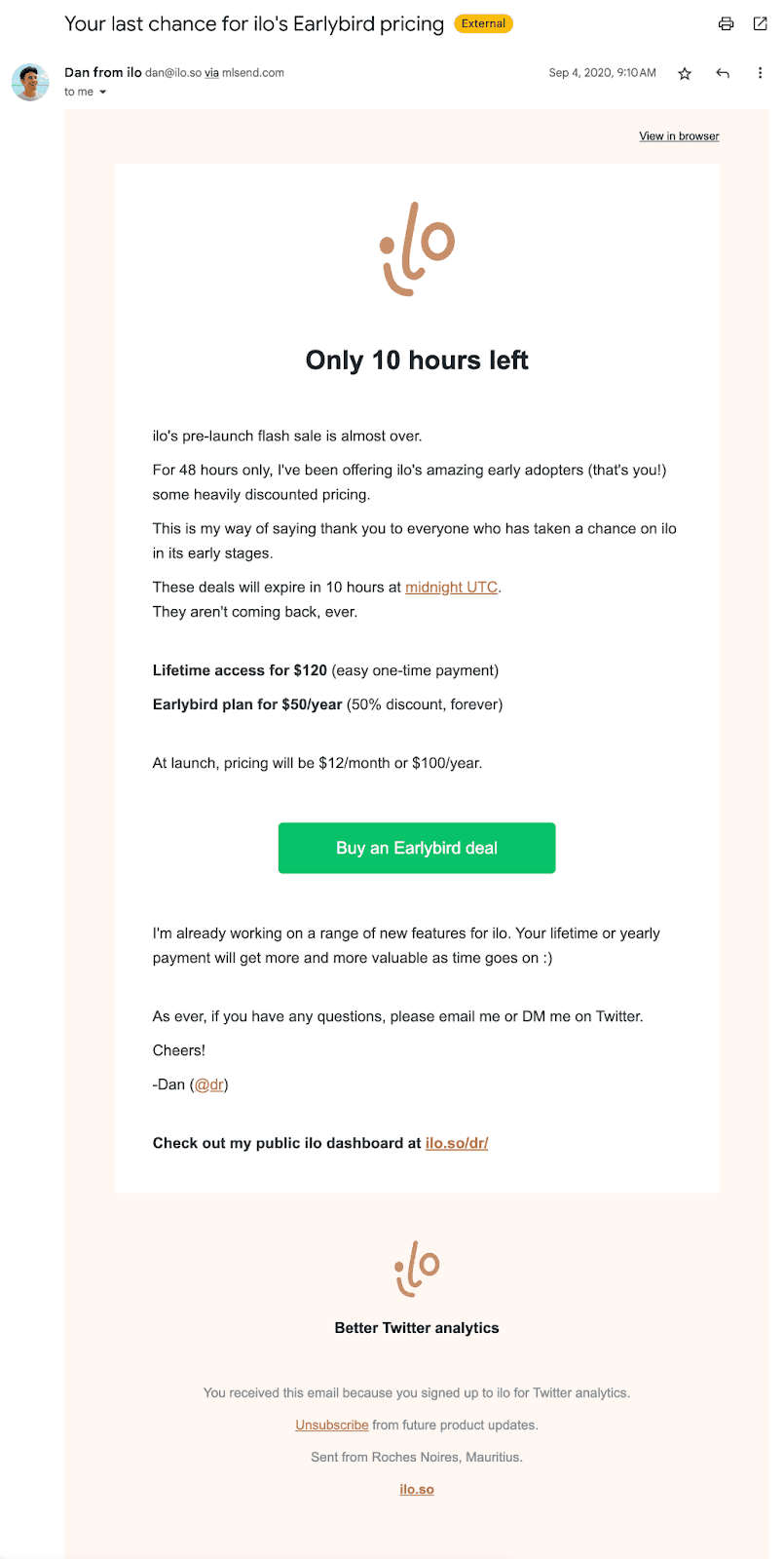
An early-bird offer from ilo
ilo offers an early-bird discount to beta testers and asks them to upgrade to a paid account before the offer ends.
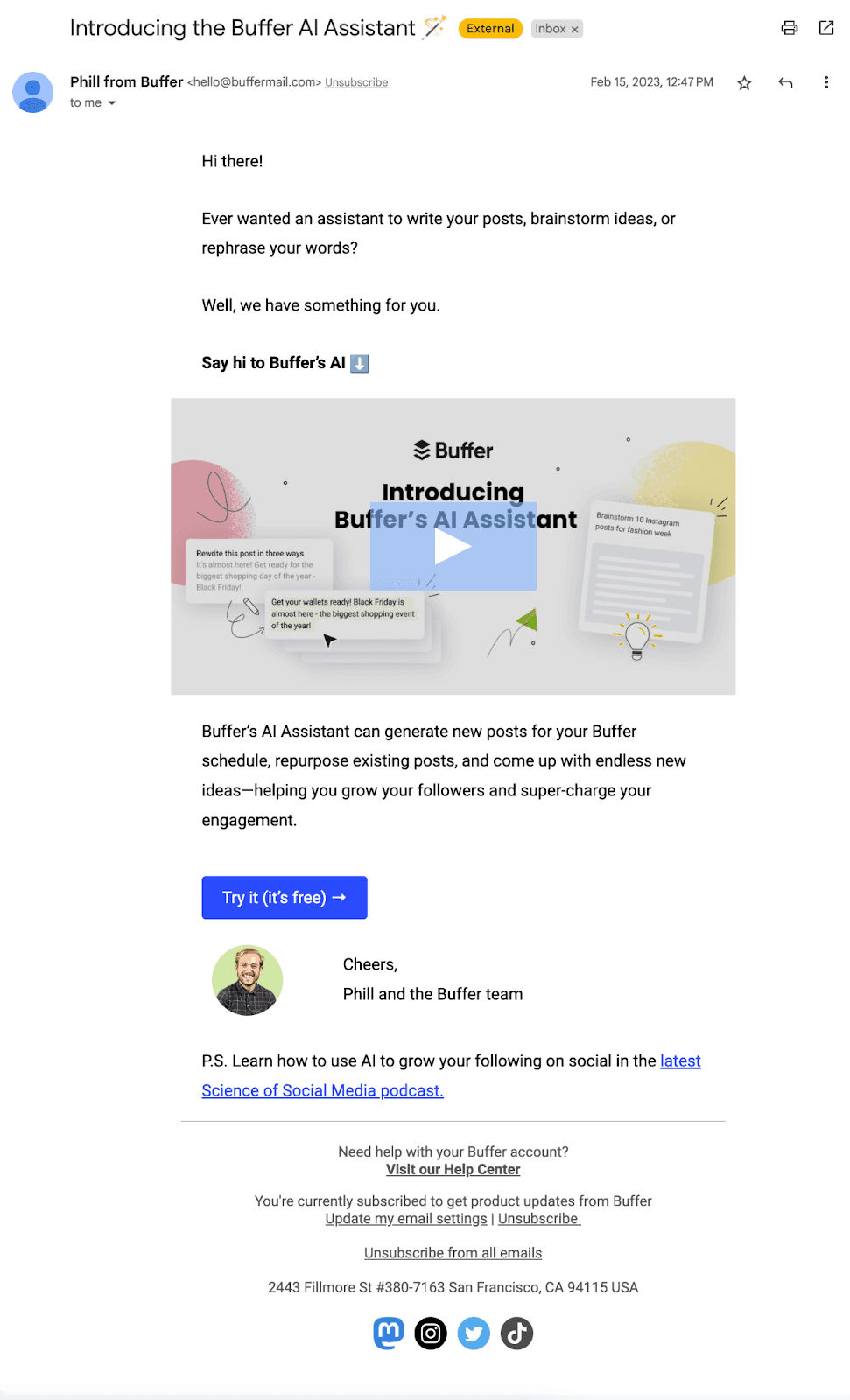
A new feature from Buffer
Buffer introduces its AI Assistant, explains what it does and links to the feature.
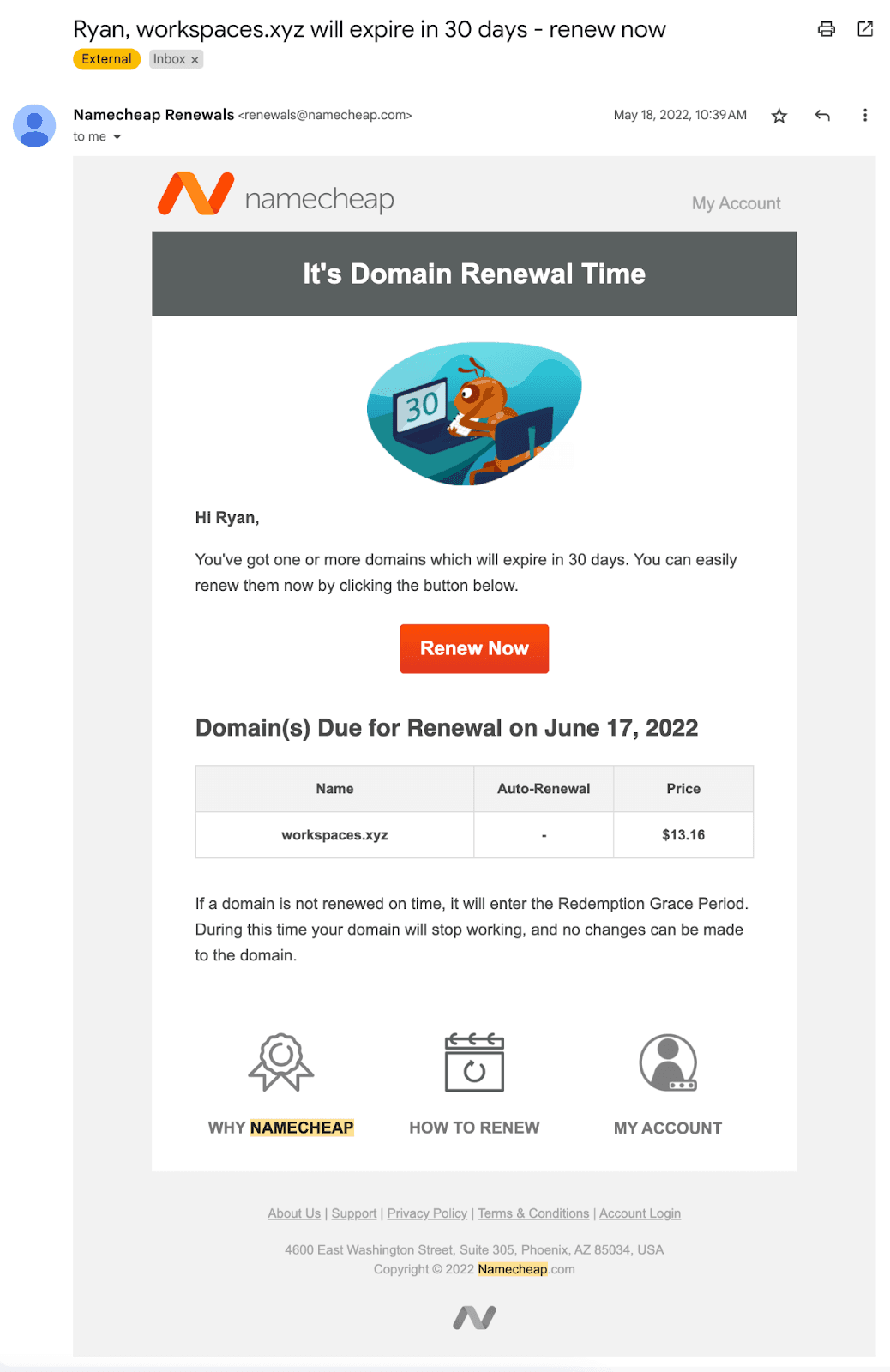
A renewal deadline from Namecheap
Namecheap reminds me that my domain expires in 30 days and links to renewal. The deadline comes from the domain’s expiry date.
When to stop the sequence
End the remaining win-back path when the customer completes the qualifying product action or no longer meets the audience rules. Keep that current state updated from your application.
In a Loops workflow, apply the audience filter to All following nodes. After a contact property changes, the filter removes the contact when they reach a following node. It does not cancel an email that has already been sent.
End this sequence after the final planned message, even if the customer remains inactive. Any longer pause in marketing should follow your documented sending policy. Preserve unsubscribes and suppressions, and do not automatically re-enroll someone just because they remain dormant.
Namecheap’s reminders follow a real domain-expiry deadline. Use that urgency only when a deadline exists. Inactivity alone is no reason to threaten account deletion.
30 days left: first renewal reminder.
15 days left: follow-up reminder.
One week left: another reminder before the domain expires.
I renewed the domain.
Stopping win-back emails does not delete an account, resubscribe a contact or decide whether an essential transactional notice should be sent. Keep those decisions separate from this marketing sequence.
Build your win-back workflow in Loops
Choose the return action and eligible audience, write the first email, and test that the sequence stops when a customer returns.
Send your win-back campaign with Loops.