

Sending emails to customers using Hide My Email
Sending emails to customers that are using Apple’s Hide My Email feature can result in either hard or soft bounces — meaning your email will not be delivered. If you’re using Loops as your ESP (email service provider) to send your marketing and transactional emails, an additional step is needed to ensure these members of your audience remain in the loop (pun intended). It’s simple. You will need to register your sending domain with Apple through these quick steps.- Log in to the Apple Developer Console
-
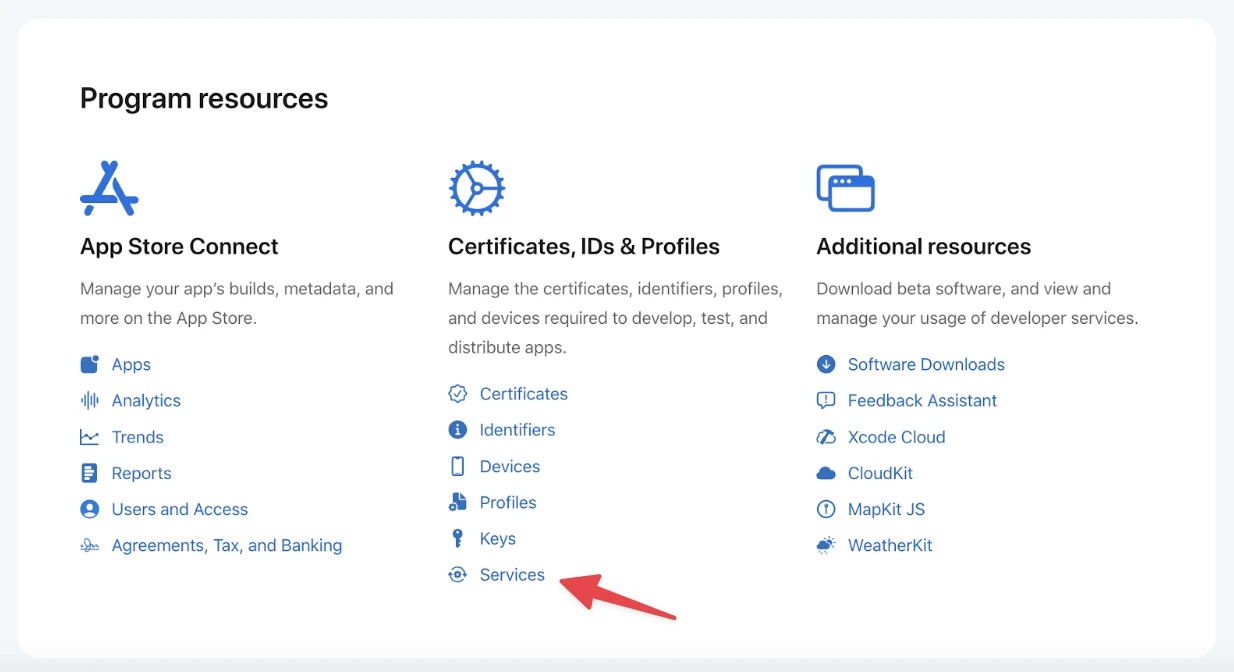
Click Services under the category labeled Certificates, Identifiers & Profiles
-
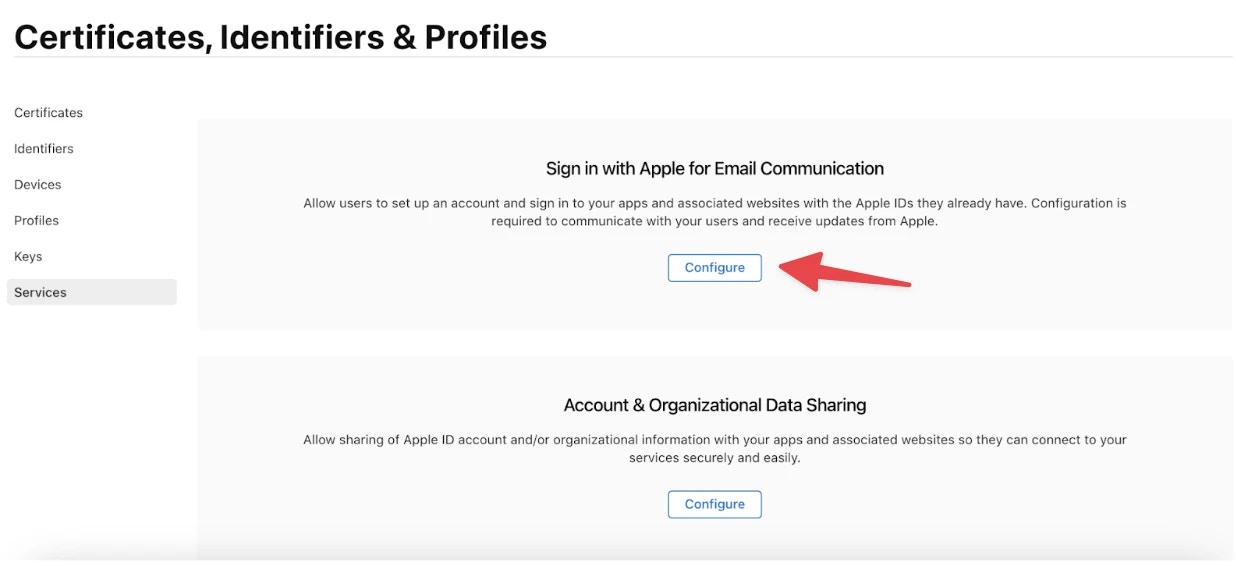
Click Configure
-
Click the
+icon under Email Sources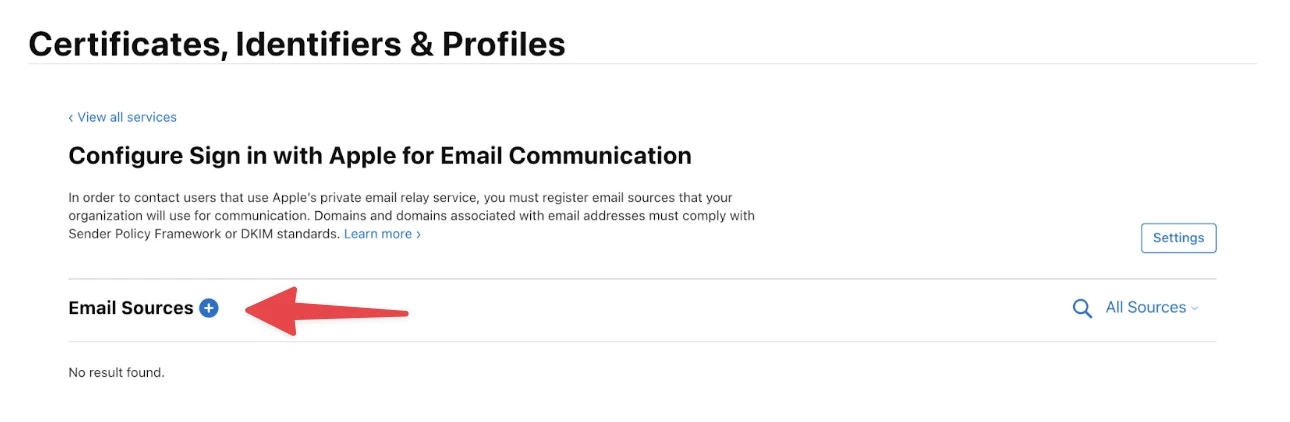
-
Verify SPF and Send Test
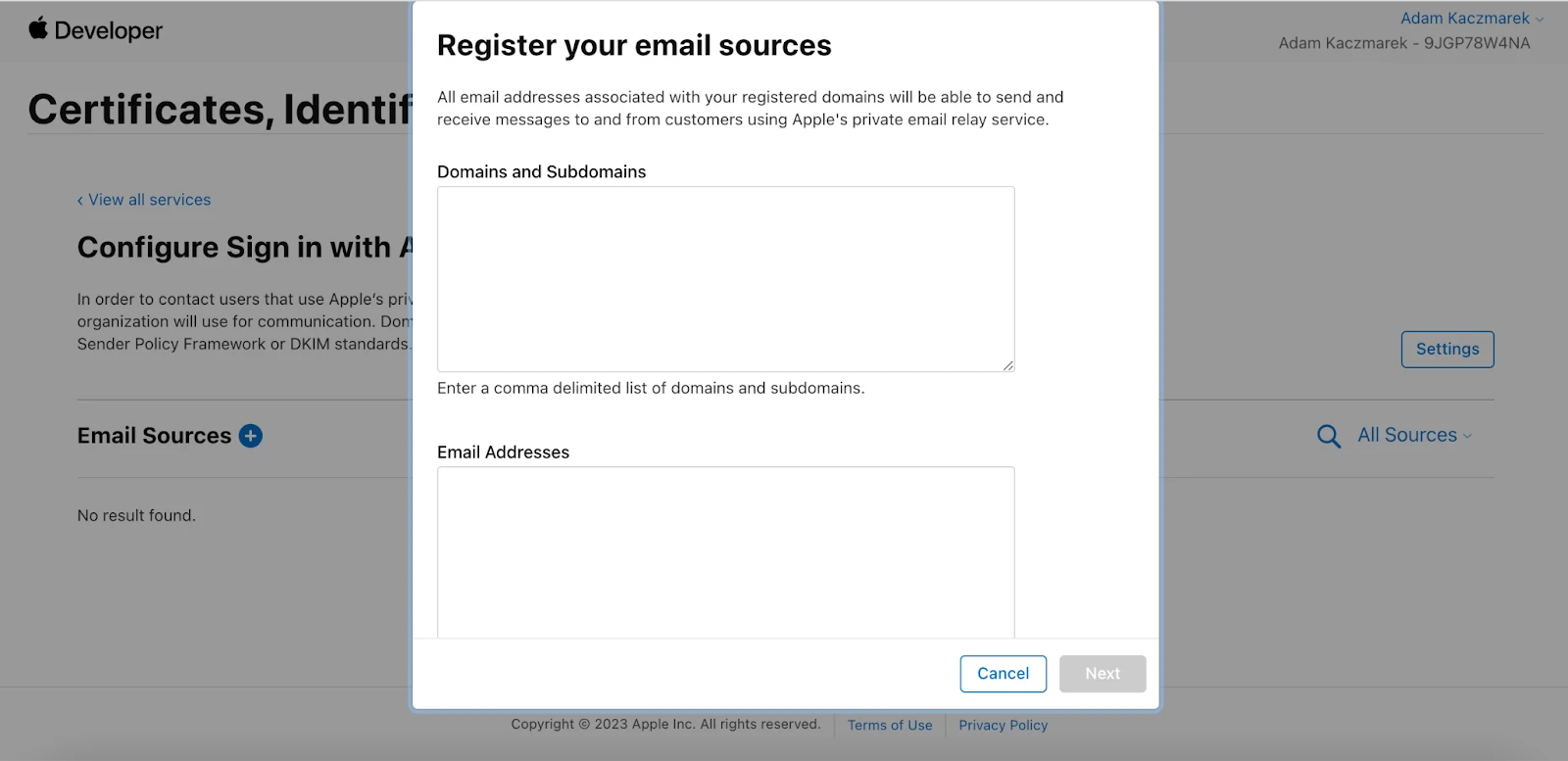
envelope.yourdomain.com (envelope is the part we are generating for you) and yourdomain.com.
That’s it! Goodbye bounces and hello inbox.