Payment Confirmation Email Examples + Templates
See payment confirmation email examples and receipt templates, with subject lines and billing email tips SaaS teams can copy into Loops.
Thanks for your payment
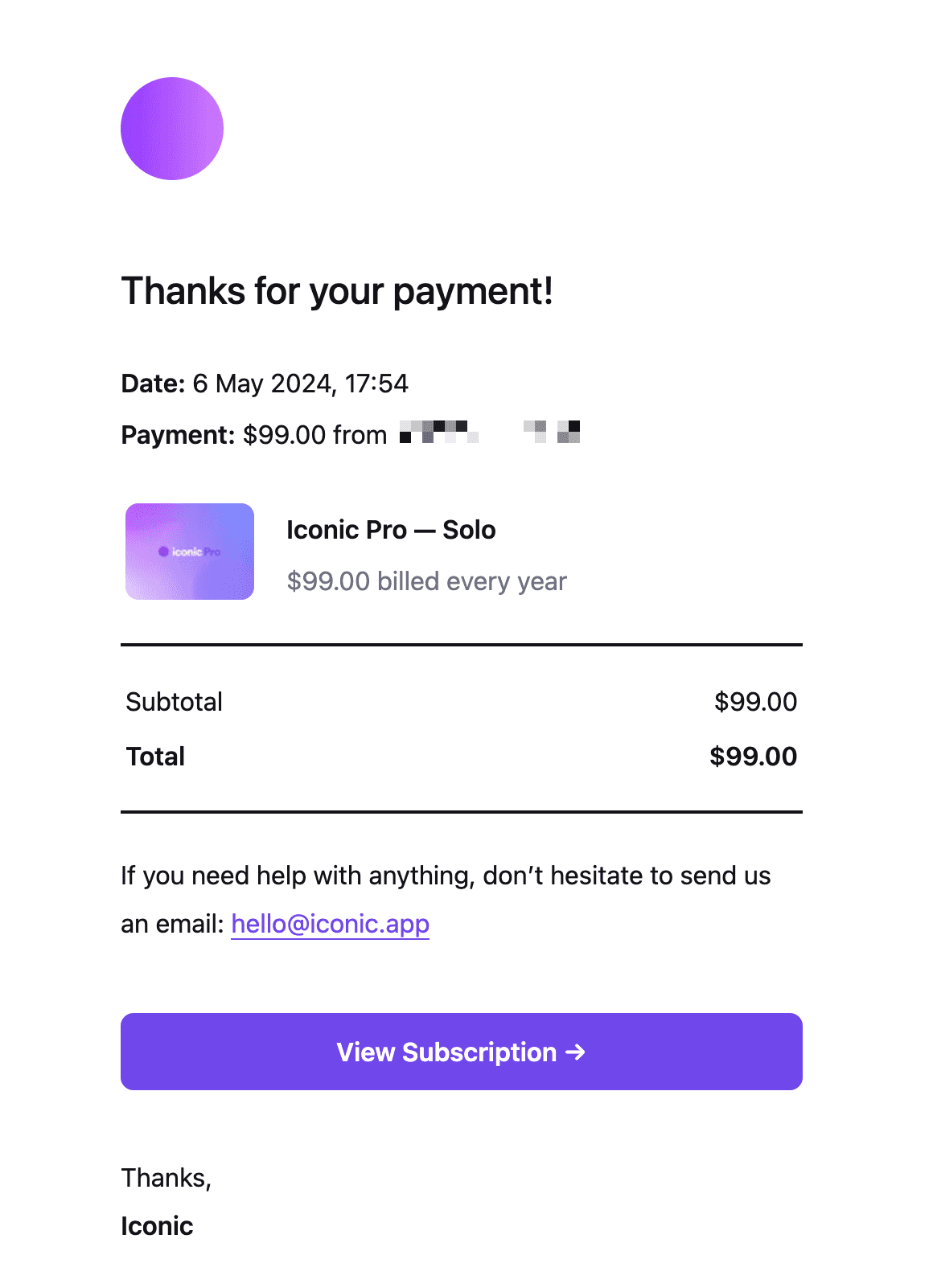
Why we like it
receipt for your litmus payment
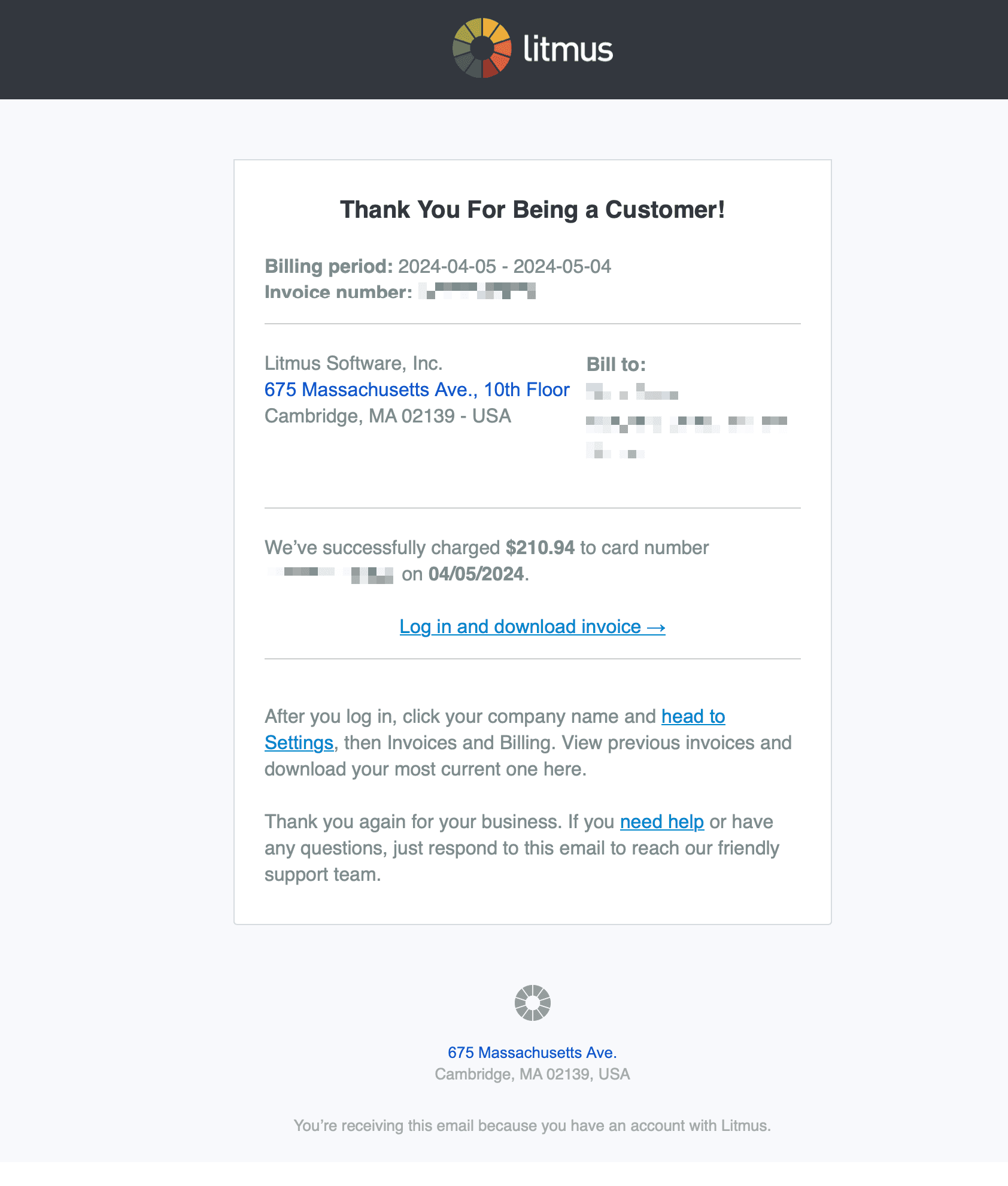
Why we like it
Thank you for your payment
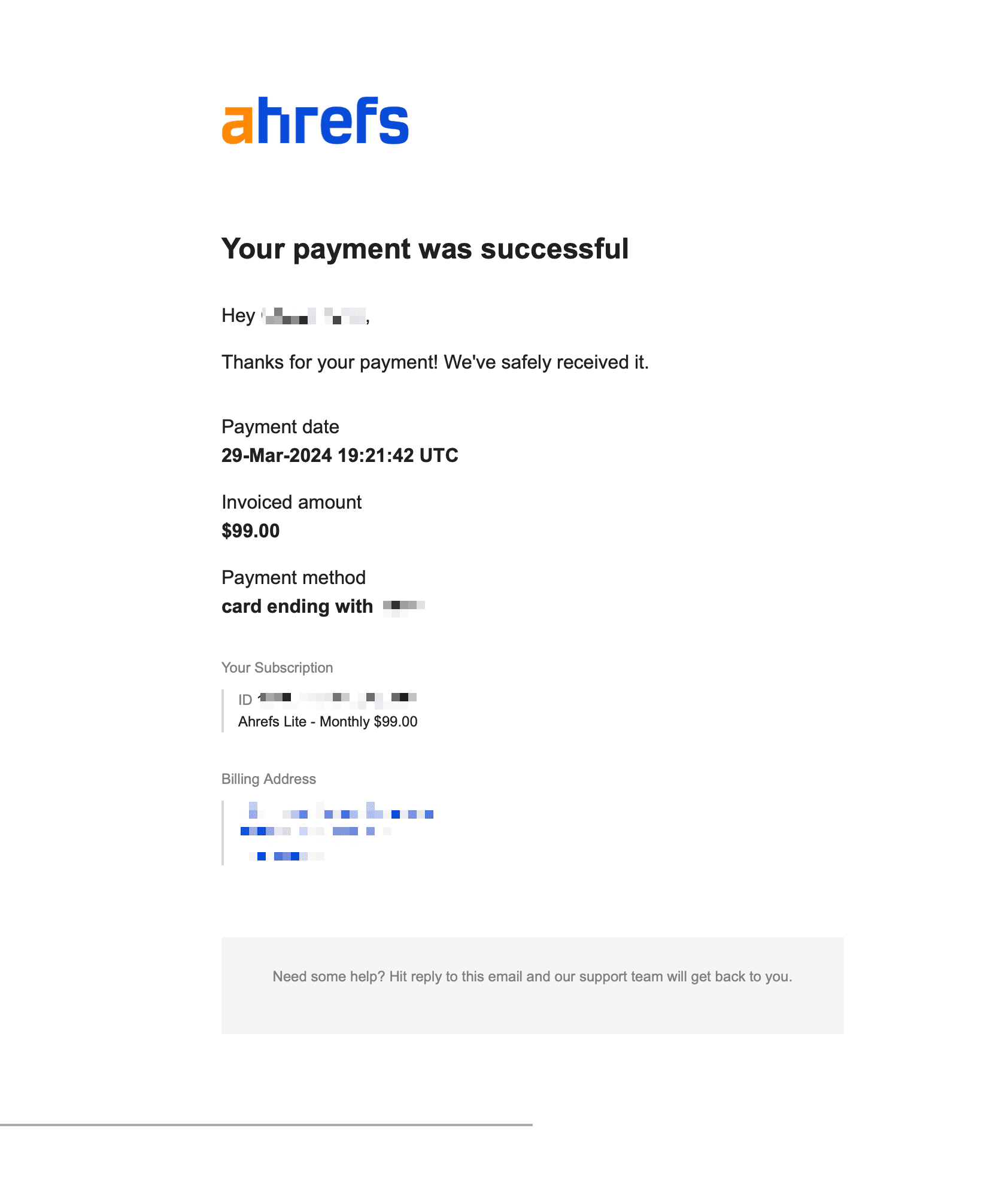
Why we like it
Receipt for subscription payment Apr 08, 2024
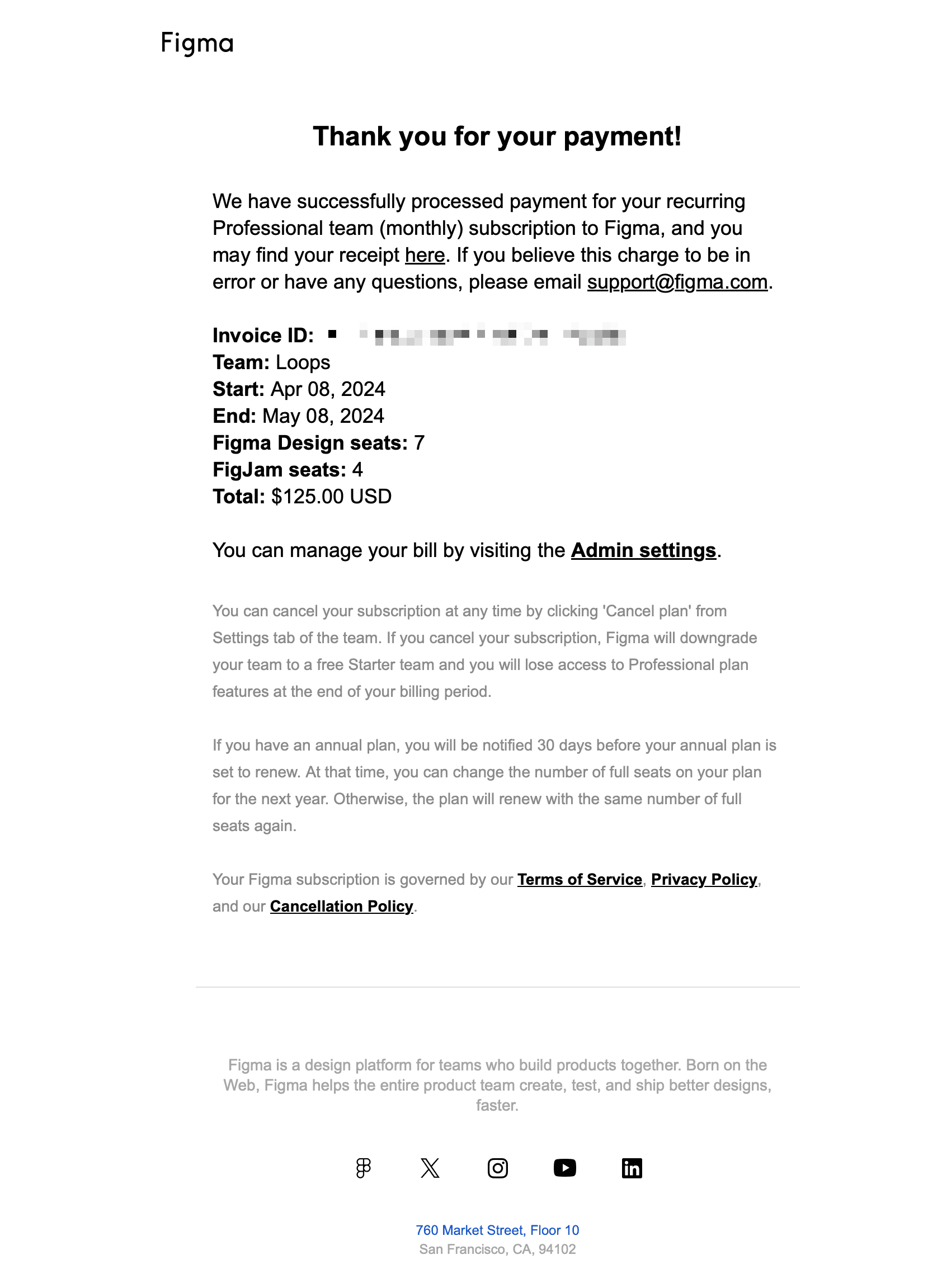
Why we like it
ChatGPT - Your new plan
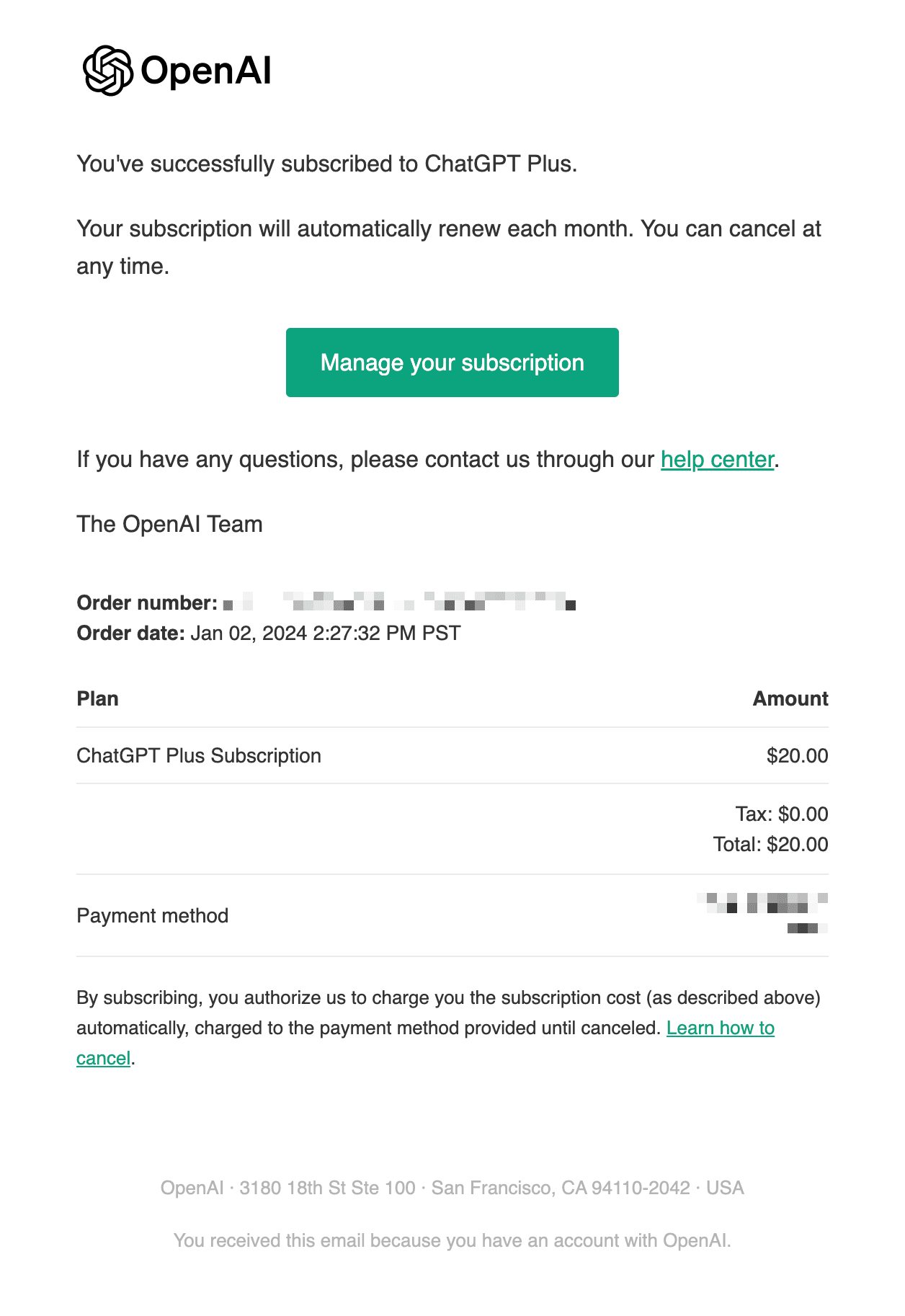
Why we like it
A payment confirmation email is a transactional message sent after a customer pays, renews, upgrades, or receives a refund. It reassures the customer that the payment went through, gives them the receipt details they may need later, and points them to account or billing support if anything looks wrong.
Customers open receipts to check a charge, so keep them accurate, immediate, and plain. A receipt email that feels like a promotional newsletter creates support risk and trust risk.
What a strong payment confirmation email includes
Element | What good looks like | Common mistake |
|---|---|---|
Subject line | "Your [Product] receipt" or "Payment received" | Vague promotional subject |
Amount | Exact amount, currency, tax if relevant | Missing or unclear total |
Plan or product | What the customer paid for | No context for the charge |
Date | Payment date and billing period | No billing period |
Account context | Workspace/account name or invoice number | Generic receipt with no identifier |
Support path | Billing link or reply/support contact | No way to resolve a charge issue |
Payment confirmation examples to model
Five patterns worth modeling your receipts on, whatever your billing flow looks like.
1. SaaS subscription renewal receipt
Best for monthly or annual plan renewals.
Why it works: It clearly states the charge, plan, billing period, and where to manage billing. The customer can file it or forward it to finance without asking support.
Copy pattern:
Subject: Your [Product] receipt
Thanks, [First name]. We received your payment for [Plan name].
Amount: [Amount]
Billing period: [Start date] to [End date]
Invoice: [Invoice number]
[View invoice]
2. Upgrade confirmation
Best when a user upgrades from free to paid or changes to a higher plan.
Why it works: It confirms both the payment and the plan change, so the email does more than act as a receipt.
Copy pattern:
Subject: Your [Product] plan is now [Plan name]
Your upgrade is complete. We charged [Amount] to [Payment method] and moved [Workspace] to [Plan name].
[View billing]
3. Trial conversion receipt
Best when a trial ends and the first paid invoice is charged.
Why it works: It reduces surprise by connecting the charge to the trial terms and current plan.
Copy pattern:
Subject: Your [Product] trial converted to [Plan name]
Your trial ended on [Date], and your first [Plan name] payment is complete.
Amount: [Amount]
Next billing date: [Date]
[View invoice]
4. One-time add-on or usage charge
Best for extra seats, credits, usage blocks, or one-off services.
Why it works: It names the add-on clearly so the customer does not confuse it with the core subscription charge.
Copy pattern:
Subject: Receipt for your [Product] add-on
We received payment for [Add-on name].
Amount: [Amount]
Workspace: [Workspace]
[View receipt]
5. Refund confirmation
Best after a refund is issued.
Why it works: It explains the amount and timing expectation, which prevents duplicate support requests.
Copy pattern:
Subject: Your [Product] refund is processing
We issued a refund of [Amount] to [Payment method]. It may take [time window] to appear on your statement.
[View billing]
Payment confirmation subject lines
Use the clearest subject line possible. Customers scan their inbox for receipts by product name, amount, and action.
Your [Product] receipt
Payment received for [Product]
Your [Product] payment confirmation
Receipt for invoice [Invoice number]
Your [Product] plan is now [Plan name]
Your trial converted to [Plan name]
Receipt for your [Product] add-on
Your refund is processing
Payment successful: [Product]
Your [Month] [Product] invoice
Payment confirmation best practices
Send it immediately. A payment email should arrive within seconds of the charge. If a customer pays and no receipt appears, they check their bank, retry, or contact support.
Make the amount impossible to miss. Put the amount, currency, and invoice link high in the email. Customers should not have to open a PDF to know what happened.
Use account context. Include workspace name, account email, plan, billing period, and invoice number where available.
Keep it transactional. Payment confirmation emails should not carry unrelated product updates, newsletters, or upgrade pitches. If you need a lifecycle follow-up, send it separately.
Include a support path. Billing email is sensitive. Add a clear path to view billing, reply, or contact support.
Avoid unnecessary tracking on receipts. Receipts need to arrive cleanly and be easy to archive. Open pixels, click tracking rewrites, and link shorteners can create avoidable deliverability and trust issues.
Respect compliance and recordkeeping needs. Finance teams may need receipts for bookkeeping. Use stable invoice links and include tax details when required by your billing setup.
Thank you for your payment: wording examples
The confirmation line sets the tone for the whole receipt. A few patterns that work:
"Thank you for your payment. Your receipt for [amount] is below."
"Payment received. Your [plan] subscription is active through [date]."
"Thanks, [First name]. We've charged [amount] to your card ending in [last 4]."
"Your payment went through. Nothing else to do, details below for your records."
Keep the gratitude to one line and get to the numbers. Overwrought thank-yous read as padding in an email people open to verify a charge.
Templates you can copy into Loops
Basic receipt
Subject: Your [Product] receipt
Hi [First name],
We received your payment for [Product].
Amount: [Amount]
Invoice: [Invoice number]
Billing period: [Start date] to [End date]
[View invoice]
Questions? Reply to this email or visit billing settings.
Upgrade receipt
Subject: Your [Product] plan is now [Plan name]
Your upgrade is complete.
Workspace: [Workspace]
New plan: [Plan name]
Amount charged today: [Amount]
[View billing]
Refund confirmation
Subject: Your [Product] refund is processing
We issued a refund of [Amount] for [Invoice number].
It may take [time window] to appear on your statement, depending on your bank.
[View billing]
Build payment confirmations as transactional emails in Loops, trigger them from your billing system, and keep the contact timeline unified with your lifecycle and marketing email. If you bill with Stripe, the Stripe receipt and failed payment email guide shows the setup. For implementation, see the email API, send transactional email docs, and deliverability guide. To compare providers, see the transactional email services guide.
FAQ
What is a payment confirmation email?
A payment confirmation email is a transactional message sent after a customer pays, renews, upgrades, or receives a refund. It confirms the charge and gives the customer receipt or invoice details.
What should a payment confirmation email include?
It should include the amount, currency, payment date, plan or product, billing period, invoice number, account or workspace context, and a link to view billing or contact support.
When should payment confirmation emails be sent?
Send them immediately after the payment event. Delays make customers unsure whether the payment succeeded and can create duplicate charges or support tickets.
Are payment confirmation emails transactional?
Yes. They are triggered by a purchase, renewal, upgrade, or refund and are expected by the recipient. Keep them focused on the billing event rather than promotional content.
Can a payment confirmation email include marketing content?
Avoid it. Adding unrelated marketing to a receipt can make the email less clear and may change how compliance teams classify it. Send product education or upsell messages separately.
Should receipts use click tracking or open tracking?
Only use tracking that you need operationally. For critical billing emails, avoid link shorteners and unnecessary tracking rewrites because clarity and deliverability matter more than campaign analytics.