> ## Documentation Index
> Fetch the complete documentation index at: https://loops.so/docs/llms.txt
> Use this file to discover all available pages before exploring further.
# How to resend a campaign to new subscribers
> A quick guide for sending a campaign to subscribers who signed up since you sent it out.
If you're regularly adding new subscribers via [a form](/forms/simple-form), [integration](/integrations) or [the API](/api-reference/intro), it's likely that you will want to send a campaign to new contacts who signed up after you sent it initially.
In Loops, you can do this in two easy steps: duplicating the campaign and filtering the audience.
## Duplicate the campaign
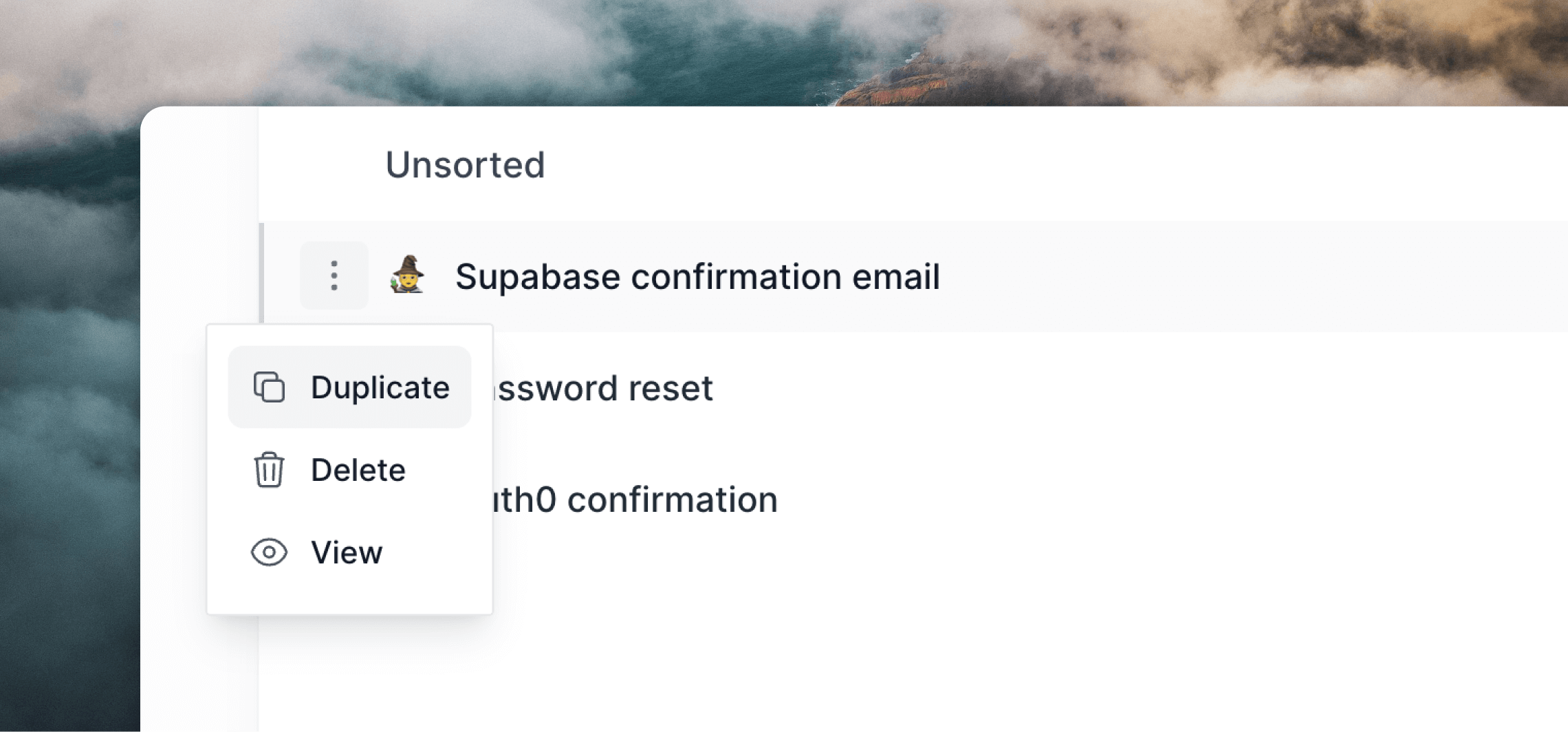
The first step is to duplicate the campaign so that you can send it out again.
To do this, go to the Campaigns page and click on the `•••` menu icon, then select **Duplicate**.
 ## Send to your new contacts
When you're ready to send the email, it's important that it only gets sent to contacts that haven't been sent it already.
To do this, on the **Audience** page of the sending flow, select "Not Sent" from the first dropdown and then the *original* campaign from the third dropdown.
## Send to your new contacts
When you're ready to send the email, it's important that it only gets sent to contacts that haven't been sent it already.
To do this, on the **Audience** page of the sending flow, select "Not Sent" from the first dropdown and then the *original* campaign from the third dropdown.
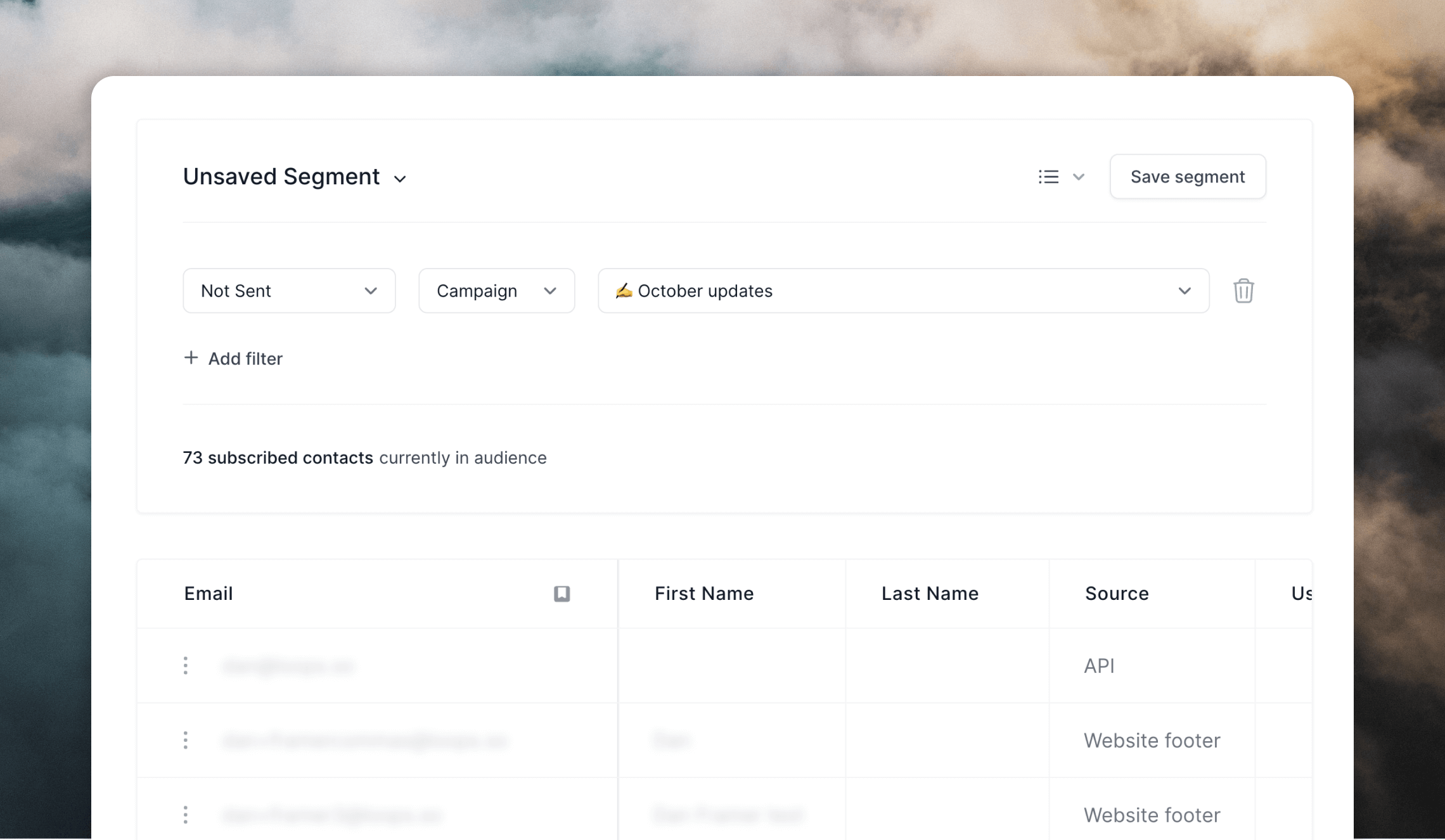 This will update the total contacts and the table below, which will show contacts that were not sent the original campaign.
Check that everything looks OK and continue sending the email.
This will update the total contacts and the table below, which will show contacts that were not sent the original campaign.
Check that everything looks OK and continue sending the email.