> ## Documentation Index
> Fetch the complete documentation index at: https://loops.so/docs/llms.txt
> Use this file to discover all available pages before exploring further.
# Simple form
> Collect signups from any web page with a customizable form.
Check out our specific documentation for adding forms to
[Framer](/integrations/framer) and [Webflow](/integrations/webflow).
You may want to collect signups from your website directly into Loops.
## Generate the form
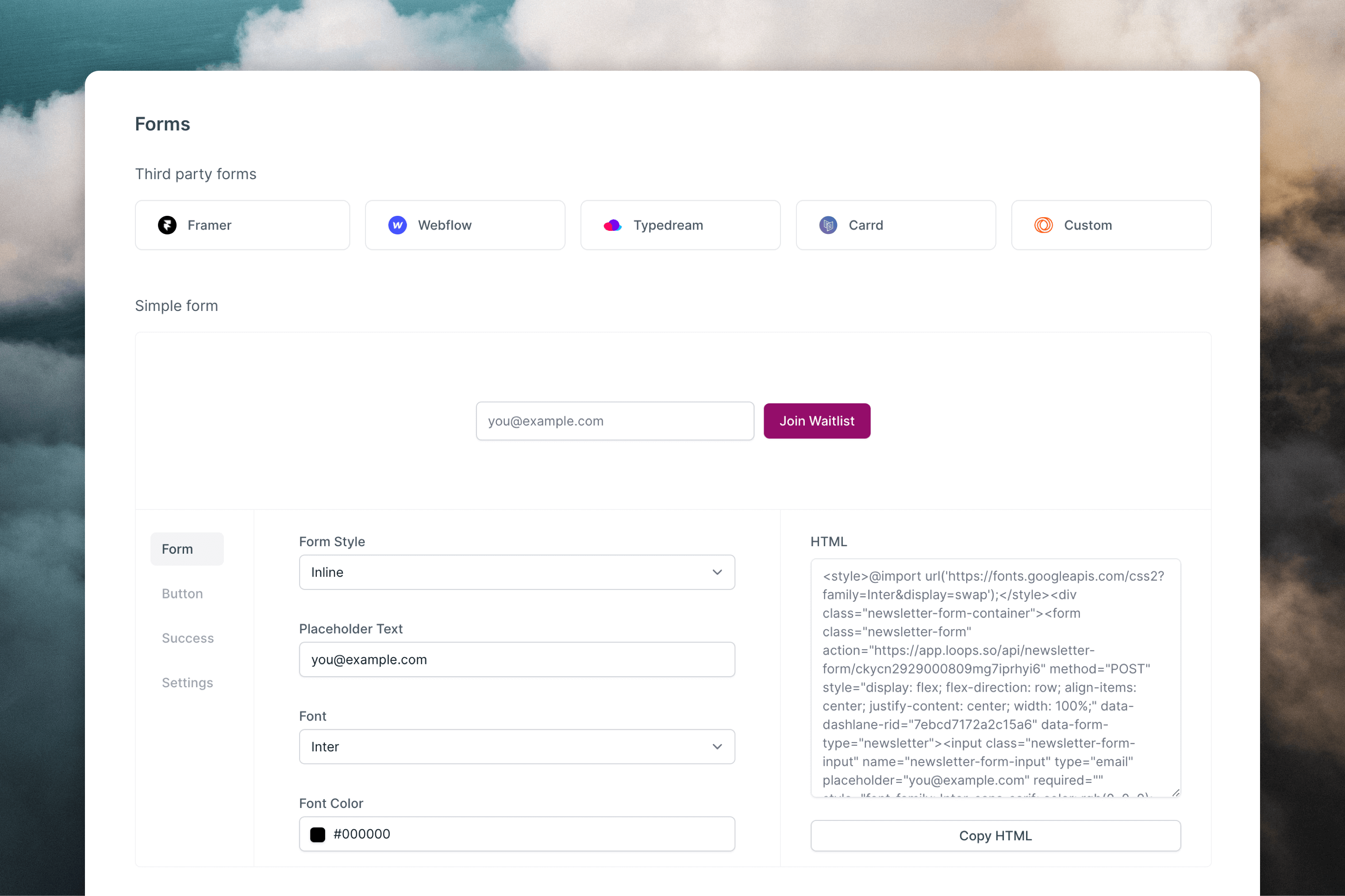
Easily generate an HTML or JSX form for collecting new signups for your mailing list from inside Loops.
Go to the [Forms page](https://app.loops.so/forms) and customize your form.
Here you will see settings to manage features of your form:
* add contacts to [mailing lists](/contacts/mailing-lists) (make sure your lists are marked as **Public** first)
* add a "User group" value to each contact
* change the layout
* edit the button color
* edit the success message
When you're happy with your form, copy the HTML into your website.
## Add more fields to the form
It's possible to add other fields to your form if you want to collect more than just email addresses.
The following contact properties can be added to a new contact via a Loops form endpoint:
* Email `email`
* First name `firstName`
* Last name `lastName`
* User group `userGroup`
* Source `source` (default value is "Form" if omitted)
* Notes `notes`
* Mailing list subscriptions ([read more](/forms/custom-form#subscribe-to-mailing-lists))
The only contact property that can be updated on an existing contact via a form endpoint is `userGroup`.\
Existing contacts can be added to new mailing lists via a form, but not unsubscribed.
When adding fields to a form, use the "API Name" value found from your [API settings page](https://app.loops.so/settings?page=api) as the `name` attribute for each field. See the above list for examples.
For example, this code would collect a First Name and add the contact to a mailing list (using a hidden field input that doesn't appear in the web page):
```html theme={"dark"}
```
If you want more flexibility when creating signup forms, [read about creating custom forms](/forms/custom-form).
## Troubleshooting
Submissions to form endpoints are rate limited to a low number of requests per minute from each IP address. If you see the message "Too many signups, please try again in a little while" when submitting a form, you have hit the rate limit. Please wait and try again.
Additionally, the form JavaScript does not allow duplicates of the same email address per pageload.
 ## Add more fields to the form
It's possible to add other fields to your form if you want to collect more than just email addresses.
The following contact properties can be added to a new contact via a Loops form endpoint:
* Email `email`
* First name `firstName`
* Last name `lastName`
* User group `userGroup`
* Source `source` (default value is "Form" if omitted)
* Notes `notes`
* Mailing list subscriptions ([read more](/forms/custom-form#subscribe-to-mailing-lists))
## Add more fields to the form
It's possible to add other fields to your form if you want to collect more than just email addresses.
The following contact properties can be added to a new contact via a Loops form endpoint:
* Email `email`
* First name `firstName`
* Last name `lastName`
* User group `userGroup`
* Source `source` (default value is "Form" if omitted)
* Notes `notes`
* Mailing list subscriptions ([read more](/forms/custom-form#subscribe-to-mailing-lists))