> ## Documentation Index
> Fetch the complete documentation index at: https://loops.so/docs/llms.txt
> Use this file to discover all available pages before exploring further.
# Translating emails
> Loops provides an automated way to translate your emails.
Translation inside of Loops is a simple, single-click method of translating emails from one language to another entirely inside of the platform.
Enable this feature in [Settings → Sending](https://app.loops.so/settings?page=sending).
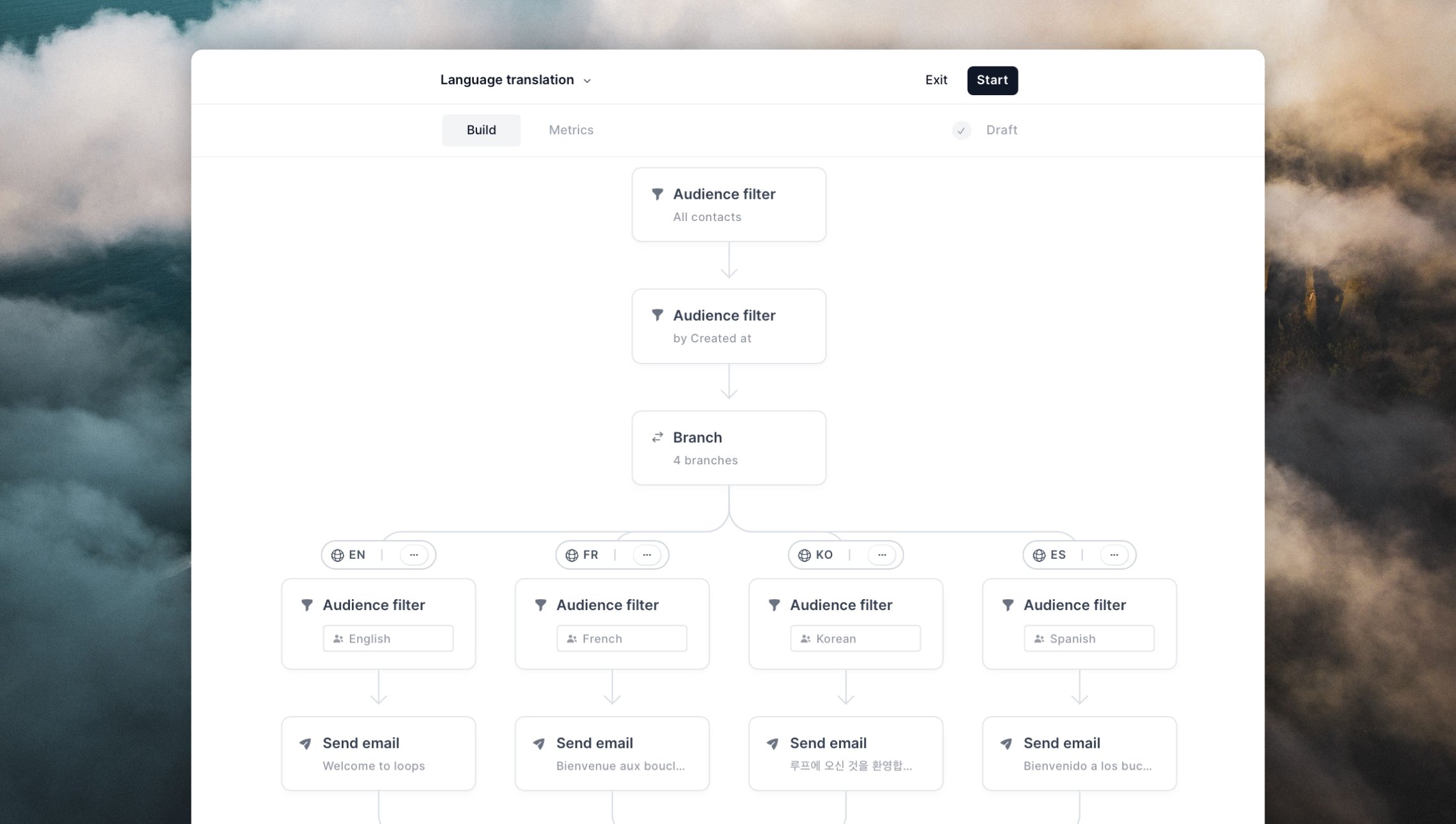
1. Create a branch, ensuring it contains at least one email to be translated.
2. Click the **language icon** above the branch and choose the **output** language you would like to translate the branch into.
3. The branch will be duplicated in its entirety, including all emails, filters, and timers then the emails within that branch will begin translation.
4. While translating, the emails will display a `Pending` label.
5. When the translation is complete, the emails will display a `Complete` label on the node.
 ### Supported elements
We translate all text nodes in an email, but we do carve out exceptions for certain types of content and use cases.
**We translate:**
* Subject
* Preview
* Headers
* Plain text
* Button text
* From name
* Link text
* Alt text on images
* Quotes
* Dynamic content fallbacks
**We do not translate**
* Link URLs
* Plain text urls
* Email addresses
* Text inside of images
* Dynamic content
* Data variables
* Contact properties
* Event properties
* Brand keywords
### Supported elements
We translate all text nodes in an email, but we do carve out exceptions for certain types of content and use cases.
**We translate:**
* Subject
* Preview
* Headers
* Plain text
* Button text
* From name
* Link text
* Alt text on images
* Quotes
* Dynamic content fallbacks
**We do not translate**
* Link URLs
* Plain text urls
* Email addresses
* Text inside of images
* Dynamic content
* Data variables
* Contact properties
* Event properties
* Brand keywords